
Most guides on this topic start with ‘Don’t panic.’ I’ll skip that. If your Google Business Profile has been suspended, you’re already losing calls, walk-ins, and leads every single day it stays offline. What you actually need is a clear answer to two questions: why did this happen, and what do you do right now.
I’ve handled GMB suspensions for clinics, gyms, CA firms, schools, and service businesses across Delhi NCR. What I’ve seen is that the same mistakes cause 80% of all Indian suspensions — and most business owners waste weeks submitting the wrong appeal because they never correctly diagnosed their suspension type first.
A suspended Google Business Profile directly impacts your calls, walk-ins, and local visibility — sometimes within hours. If you want expert help rather than going through this alone, our Google My Business Management Services in Delhi cover everything from profile setup and optimization to suspension recovery and ongoing compliance.
This guide fixes that. Read it once, diagnose correctly, and follow the steps in sequence.
Table of Contents
Step Zero: Diagnose Before You Do Anything
Before submitting any appeal or touching your profile, you need to identify which type of suspension you’re dealing with. Treating a soft suspension like a hard suspension — or vice versa — will either delay recovery or make it worse.
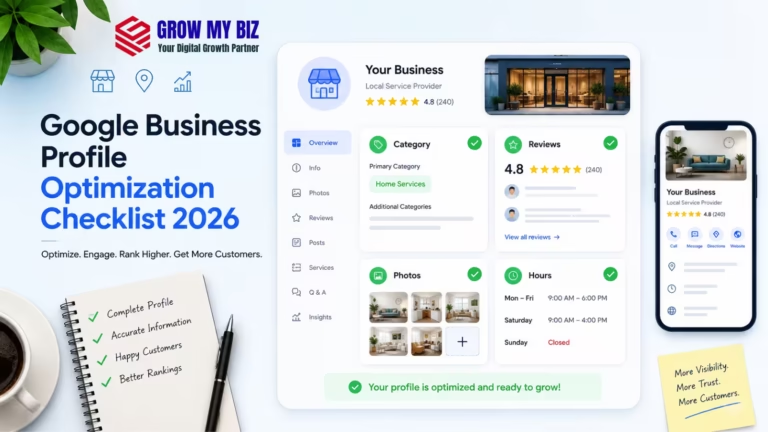
Check Complete Google Business Profile Optimization Checklist 2026.
Soft Suspension (Unverified / Flagged)
Your listing is still visible on Google Maps. Customers can still find you. But you’ve lost access to manage the profile — you can’t edit it, respond to reviews, or post updates. Google has essentially locked you out without removing you.
This is by far the more common type in India. In my experience, soft suspensions usually come from:
- A verification issue Google flagged after the fact
- Someone reporting your listing (competitor, disgruntled customer)
- An automated quality check that flagged an inconsistency
- A policy update that retroactively affected your profile setup
How to confirm it’s a soft suspension Search your business name on Google Maps. If it still appears but your Google Business dashboard shows ‘Suspended’, it’s a soft suspension. You’ve lost control — but not visibility. Yet.
Also Read:- Local SEO for Veterinary Clinics in India: Getting Found When It Actually Matters
Hard Suspension (Removed from Maps)
Your listing is completely gone from Google Maps and Search. No visibility, no calls, nothing. This is more serious and happens when Google believes your business either violates policy at a fundamental level or doesn’t legitimately exist at the listed address.
Hard suspensions in India are most commonly caused by:
- Virtual office or co-working space address used as a registered business location
- Home-based business that doesn’t meet Google’s address eligibility criteria
- Duplicate listing created — Google flags both and suspends the primary
- Serious guideline violations: keyword stuffing in business name, fake reviews reported
- Business category fundamentally misrepresenting the actual service offered
Businesses recovering from a suspended Google Business Profile often struggle with rankings even after reinstatement. If you want to improve your visibility on Google Maps, generate more local leads, and build long-term local search authority, explore our Local SEO Services in Delhi for ongoing optimization, citation management, and Google Maps ranking support.
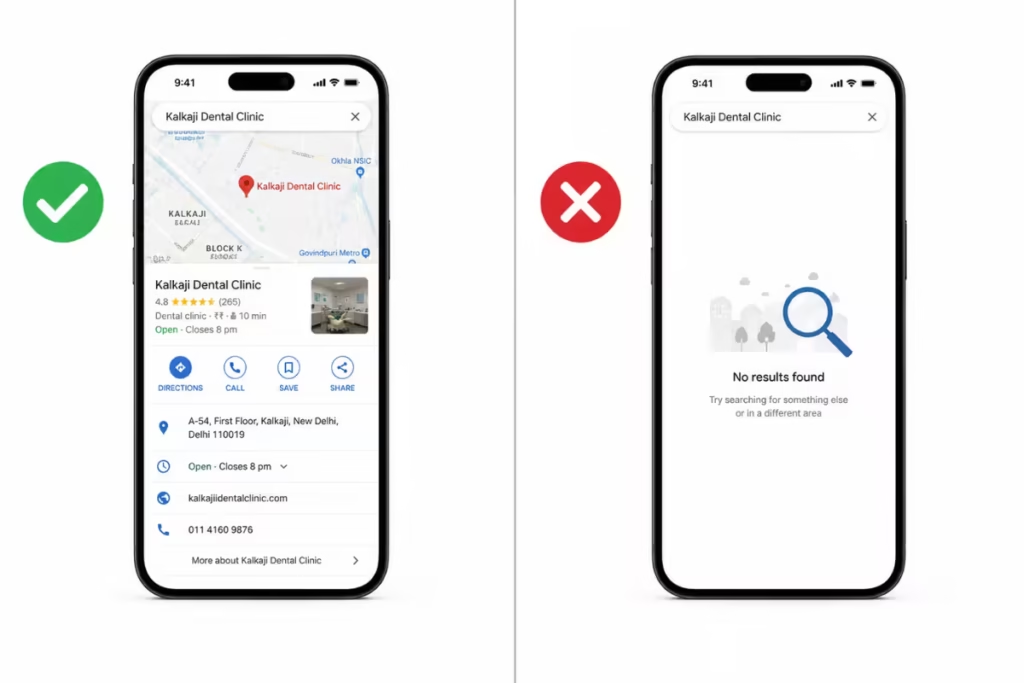
Soft Suspension vs Hard Suspension — Google Business Profile
| Feature | Soft Suspension | Hard Suspension |
| Visibility on Google Maps | Still visible — customers can find you | Completely removed — invisible on Maps and Search |
| Severity | Moderate — manageable if caught early | High — zero visibility, zero calls |
| Dashboard Access | Lost — cannot edit, post, or respond to reviews | Lost — profile shows “Suspended” in dashboard |
| Recovery Difficulty | Easier — often resolved with profile cleanup + request review | Harder — requires documentation, appeal form, manual review |
| Reinstatement Process | “Request Review” button inside GBP dashboard | Google Business Redressal / Reinstatement Form (external) |
| Typical Resolution Time | 3–10 business days | 7–21 business days (complex cases: 4–6 weeks) |
| Common Causes | Competitor report, automated quality flag, verification lapse, minor NAP inconsistency | Virtual office address, keyword stuffing in name, duplicate listing, fake reviews, ineligible business type |
| Can Customers Still Call? | Yes — listing visible, click-to-call works | No — listing gone, no calls from Maps |
⚠ Warning Do not attempt to create a new listing if your original is hard suspended. Google tracks this. A second listing gets suspended faster and can result in permanent removal of both profiles.
Need Help Recovering Your Suspended GMB?
We handle Google Business Profile suspension recovery for local businesses across Delhi NCR — including diagnosis, document preparation, appeal submission, and post-reinstatement compliance.
Book a Free GMB AuditWhy GMB Gets Suspended in India — The Real Reasons
Google’s official policy list is vague by design. What actually triggers suspensions in the Indian market is specific, and most of it I’ve seen firsthand.
1. Virtual Office and Co-Working Space Abuse
This is the single biggest cause of hard suspensions in Delhi, Noida, Gurugram, and Mumbai. Hundreds of businesses list themselves at shared office spaces like WeWork, Regus, or local co-working centers. Google has systematically gone after these addresses because they’re used by hundreds of businesses simultaneously.
If your GBP address is in a building with 50 other businesses listed at the same pin — and you don’t have a genuine physical presence there — it’s a matter of time before Google flags you.
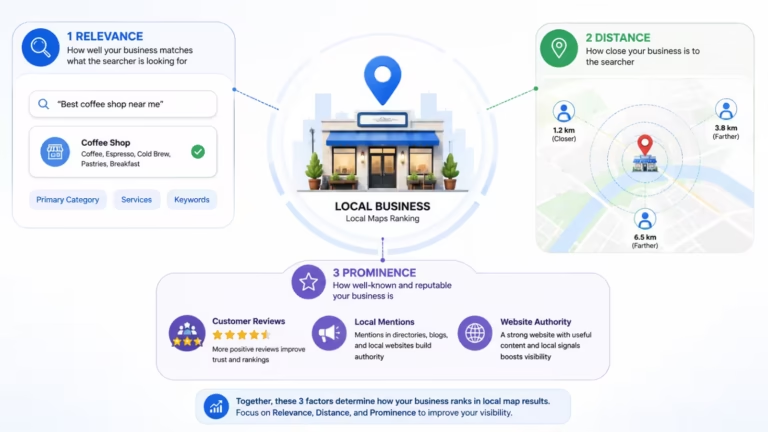
Check our guide about Why Is My Competitor Ranking Higher on Google Maps.
✓ Pro Tip Google allows service-area businesses (SABs) to hide their address entirely. If you operate from home or a shared space, set yourself up as a service-area business and remove the address from public view. This is compliant and prevents this class of suspension.
2. Keyword Stuffing in Business Name
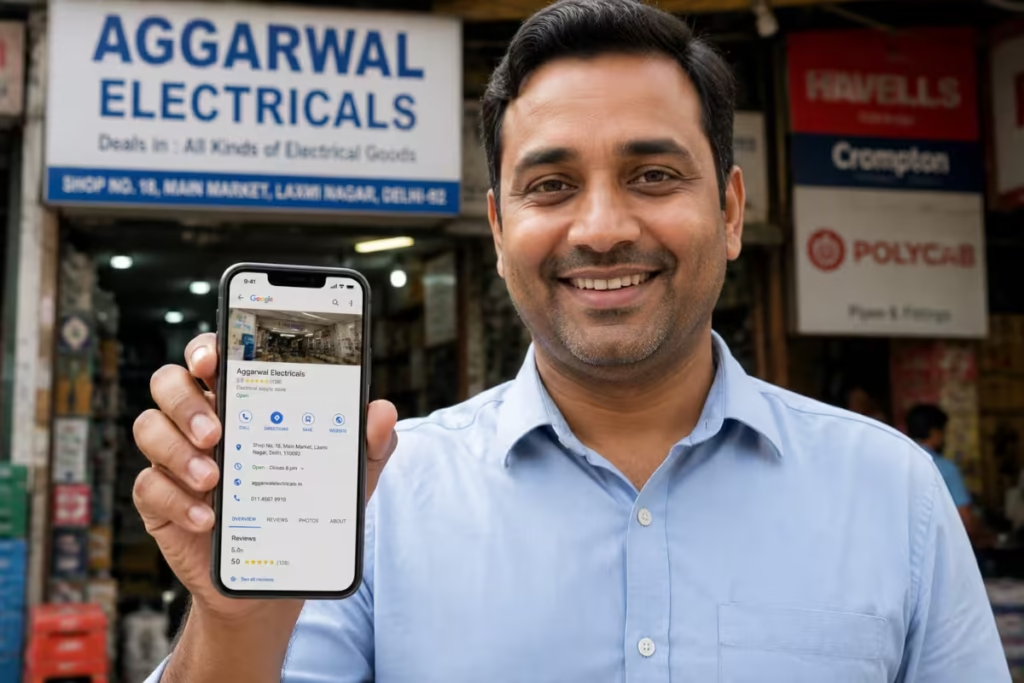
I still see this every week. A dental clinic listed as ‘Best Dental Clinic in South Delhi — Teeth Whitening Implants Braces’ instead of just its actual business name.
Google Business Profile Guidelines are explicit: your business name on GBP must match your real-world business name — the one on your signage, GST registration, and shop license. Adding keywords is a direct policy violation and a common trigger for both automated and manual suspensions.
⚠ Warning If your current GBP name has keywords added to it, remove them before submitting any reinstatement request. An appeal submitted with a non-compliant name will be rejected automatically.
3. Multiple Listings for the Same Location
Duplicate listings are a systemic problem for multi-location businesses and franchises in India. It’s also common when a previous owner or employee created a listing that was never properly transferred.
Google sees two listings at the same address for the same business category as a trust signal failure. It typically suspends both, or the more recently created one, and may merge them incorrectly.
Please check our guide if your Google Business Profile Edits Not Showing? Here’s What’s Actually Happening.
4. Address Mismatch
Your GBP address doesn’t match your GST certificate, your website, your Justdial listing, or any other verifiable source. NAP consistency (Name, Address, Phone) is a core local ranking and trust signal. When Google’s systems cross-reference your address against other data sources and find inconsistencies, it flags the profile.
This is especially common after a business moves locations without updating every directory and citation.
Also check:- GMB Expert in Laxmi Nagar & Shahdara – Rank #1 on Google Maps in East Delhi.
5. Fake or Incentivised Reviews
Paying for reviews, offering discounts for reviews, or asking employees to post reviews from their personal accounts — all of these violate Google’s review policies. Google has gotten significantly better at detecting review velocity anomalies and device clustering.
What I’ve seen fail most often here: businesses that got 30 reviews in 2 weeks (after running a ‘leave us a review’ campaign) and then wonder why their profile was suspended. Natural review velocity matters.
6. Ineligible Business Type or Category
Some business types are simply not eligible for a Google Business Profile under Google’s guidelines — online-only businesses, rental properties, and certain financial or legal service businesses with restrictions.
More commonly in India, the wrong primary category was selected during setup — sometimes deliberately to appear in broader searches, sometimes by mistake. A chartered accountant listing themselves as a ‘Financial Consultant’ to capture more searches, for instance, creates a category relevance mismatch that can trigger a quality review.
IVF clinics operating in competitive cities like Delhi, Noida, and Gurugram need more than just a website — they need strong Google Maps visibility and local search trust. Our upcoming guide on Local SEO for IVF Clinics explains how fertility clinics can improve local rankings, generate qualified patient inquiries, and increase consultation bookings through Google Search and Maps optimization.
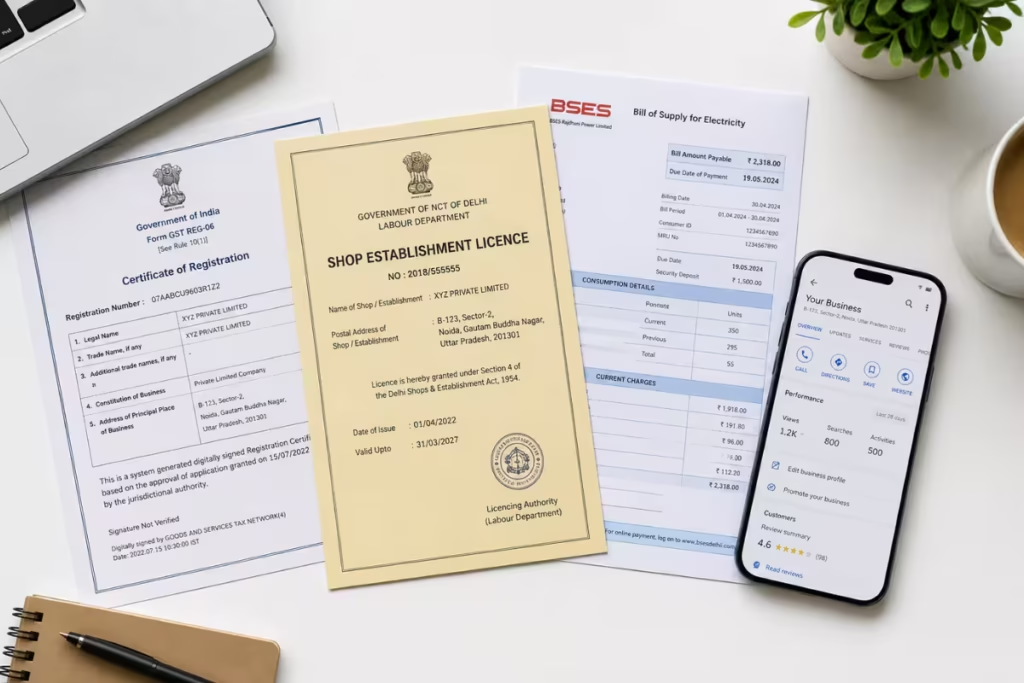
Healthcare businesses face stricter scrutiny during GMB reinstatement. Doctors, dental clinics, and skin specialists need to include professional registration certificates alongside standard business documents. If you run a clinic and want to understand how local SEO and GMB work specifically for your niche, read our guides on digital marketing for doctors in Delhi NCR and digital marketing for dentists in Delhi.
What Documents Actually Work for GMB Reinstatement in India
This is where most Indian business owners waste the most time. They submit whatever documents they have handy, get rejected, and assume their appeal failed. Usually, the problem is document mismatch — not ineligibility.
Google needs to verify two things: that your business is legitimate, and that it genuinely operates from (or serves) the location listed on the profile.
| Document Type | Notes for Indian Businesses |
| GST Registration Certificate | Most effective single document for Indian businesses. Shows business name, address, and category clearly. Ensure your GBP address exactly matches the address on your GST cert — including floor number, building name, pin code. |
| Shop & Establishment License | Issued by municipal corporations. Strong proof of physical presence at an address. Accepted across all Indian states. |
| Electricity / Water Bill | Utility bill in the business name at the GBP address. Should be recent (within 3 months ideally). Works well for home-based and small businesses. |
| Lease / Rent Agreement | For businesses in rented premises. Must show the listed address clearly. Works best when combined with GST cert. |
| Udyam Registration Certificate | MSME registration is well-recognized and broadly accepted. Good supplementary document. |
| Business Bank Account Statement | Header showing business name and address. Use as a supplementary document to reinforce address legitimacy. |
| Professional License / Certificate | For doctors (MCI registration), CAs (ICAI), lawyers (Bar Council) — these add professional legitimacy. Always include for regulated professions. |
⚠ Warning Do not submit Aadhaar or PAN card as proof of business address. These are personal documents. Google may reject the appeal or request re-submission, adding days to your recovery time.
✓ Pro Tip Match every detail exactly. If your GST cert says ‘2nd Floor, Plot 14A’ but your GBP address says ‘Plot 14, 2nd Floor’ — fix the GBP address first, then submit the appeal. A minor address formatting mismatch is enough for rejection.
The Reinstatement Process — Step by Step
Follow this sequence. Don’t skip steps. Each one matters.
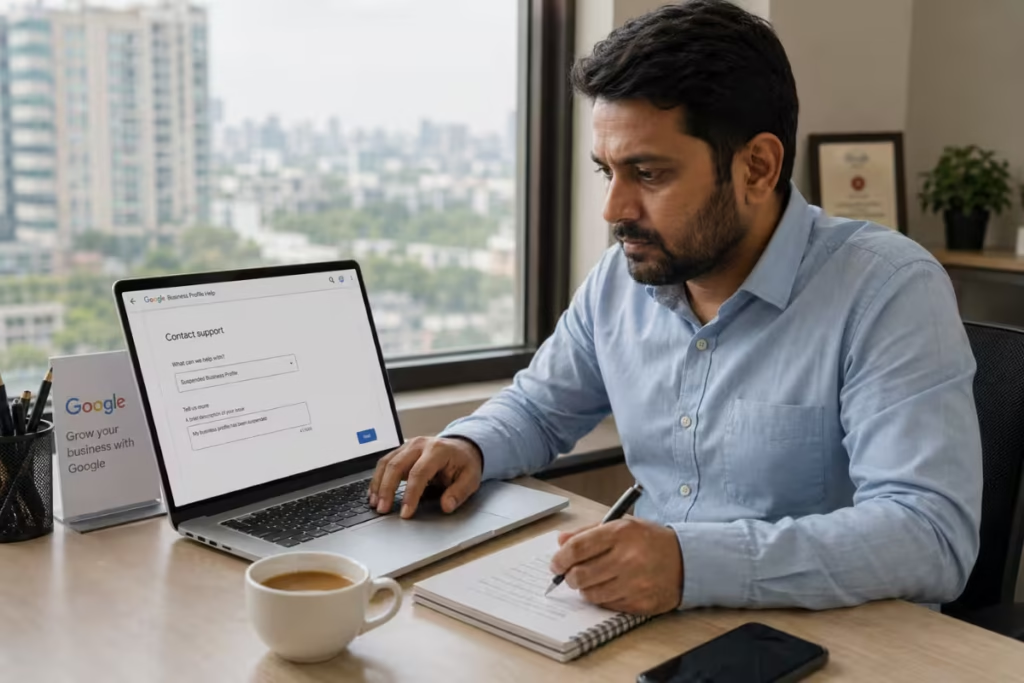
Step 1: Audit Your Profile Before Touching Anything
Before submitting any appeal, fix every identifiable violation on your profile. Submitting an appeal on a non-compliant profile is the fastest way to get rejected — or worse, get a permanent flag.
Go through this checklist:
- Business name: Does it match your GST cert / shop license exactly? Remove any keywords.
- Address: Does it match your official documents character-for-character?
- Category: Is your primary category the most accurate representation of your actual business?
- Duplicate listings: Search your business name and address. Are there other listings? If yes, request to remove or merge them first.
- Website URL: Is it active and functional? Does it mention the same business name and address?
- Reviews: Any obvious fake or bulk reviews that could be flagged? If yes, remove the ability to receive new ones temporarily if possible.
Check our comprehensive guide about Local SEO for Law Firms in India.
Step 2: Identify the Correct Appeal Pathway
Google provides different reinstatement pathways depending on the suspension type:
- Soft suspension: Use the ‘Request Review’ option directly inside your Google Business Profile dashboard
- Hard suspension: Use Google’s Business Redressal Complaint Form (search: ‘Google Business Profile reinstatement form’)
- Suspended due to quality issues: The appeal form specifically asks for evidence of legitimate business operations — this is where your documents go
Important The reinstatement form URL changes periodically. Always search ‘Google Business Profile reinstatement request’ and use the official Google support page link. Do not use third-party sites that claim to submit appeals on your behalf.
Step 3: Write the Appeal Statement
The appeal form asks you to explain why your business should be reinstated. Most people write one line. That’s not enough.
Write 3–4 clear paragraphs covering:
- What your business does and who it serves (be specific — ‘We are a dental clinic serving patients in South Delhi since 2018‘ is better than ‘We provide dental services‘)
- Your physical presence at the listed address — describe it specifically
- Why you believe the suspension may have been triggered (without being defensive — state it factually)
- What you’ve corrected, if anything, before submitting this appeal
✓ Pro Tip Mention your registration type: GST-registered, Udyam-registered, etc. Google reviewers respond better to appeals that reference verifiable Indian business registrations. It signals legitimacy quickly.
Step 4: Submit and Wait — Realistic Timelines
| Scenario | Expected Timeline |
| Soft Suspension | 3–10 business days for initial response. Simple cases resolve in under a week. Complex ones go to manual review. |
| Hard Suspension — First Appeal | 7–21 business days. This is genuinely variable. I’ve seen clean cases resolved in 8 days and legitimate businesses wait 6 weeks. |
| Hard Suspension — After Rejection | Request re-review after 30 days. Submitting again immediately rarely helps and may push your case lower in the queue. |
| Video Verification Required | If Google requests video verification during reinstatement, treat it as urgent. Complete it within 24 hours. Delays here reset the clock. |
Real Recovery Example
One South Delhi dental clinic approached us after their Google Business Profile had been hard suspended for nearly three weeks. Their listing had completely disappeared from Google Maps, calls had stopped, and appointment inquiries dropped almost immediately.
After auditing the profile, we identified two core issues:
- keywords added unnecessarily in the business name
- address inconsistencies between the GBP profile and business documents
We cleaned up the profile, corrected the business information, and submitted a reinstatement request using their GST Registration Certificate and Shop & Establishment License.
The profile was reinstated in 11 days.
Step 5: If Your Appeal is Rejected
One rejection is not final. But your next appeal needs to be materially different — better documentation, cleaner profile, clearer explanation.
What I’ve seen fail most often in rejected appeals:
- Submitting the same documents without addressing the specific rejection reason
- Not reading Google’s rejection email carefully — it often hints at the specific issue
- Resubmitting within days instead of taking time to properly fix the underlying problem
- Using a different Google account to try again — Google tracks this and it can make recovery harder
⚠ Warning If your profile has been rejected twice with the same documentation, don’t submit a third time immediately. Step back, audit the profile fully, and consider reaching out to Google Business Profile support via Twitter/X (@GoogleMyBiz) to escalate. Community-level escalation occasionally moves stuck cases.
Need Help Recovering Your Suspended GMB?
We help local businesses across Delhi NCR recover suspended Google Business Profiles — including suspension diagnosis, document preparation, reinstatement submission, and post-recovery compliance fixes.
Get a Free GMB Recovery Audit
Soft & Hard Suspension Recovery
GST & Address Verification Help
Delhi NCR Local SEO Experts
What NOT To Do After Your GMB Gets Suspended
After handling suspension recoveries across dozens of businesses in Delhi NCR, I’ve noticed that many recoverable cases become significantly harder because of panic actions taken immediately after suspension.
If your Google Business Profile gets suspended, avoid these mistakes:
Creating a New Listing While the Original is Under Review
Google treats this as an attempt to bypass the suspension. In many cases, both listings end up suspended, making recovery substantially harder.
Repeatedly Editing Your Business Name, Address, or Categories
Constant edits during an active suspension review create trust issues. Make only necessary corrections, ensure they match your official documents exactly, and leave the profile stable before submitting your appeal.
Submitting Multiple Appeals Within a Few Days
Submitting the reinstatement form repeatedly does not speed up recovery. It often creates duplicate review cases internally and can delay manual review even further.
Using Different Google Accounts to Submit Appeals
Switching between multiple Gmail accounts, employee accounts, or newly created Google accounts complicates ownership verification and can trigger additional trust reviews.
Buying Fake Reviews After Reinstatement
A sudden spike of incentivised or low-quality reviews shortly after recovery is a common trigger for repeat suspensions. Rebuild review velocity naturally and gradually.
Randomly Changing Primary Categories
Changing from one category to another repeatedly in an attempt to improve rankings creates category inconsistency signals. Your primary category should reflect what your business genuinely is — not what appears to rank better.
Panic Editing the Entire Profile
Mass changes to photos, descriptions, service areas, hours, and address details within a short period often make profiles look unstable to Google’s systems. Diagnose the actual issue first, then correct only what is necessary.
Important: Most first-time suspensions are recoverable. But rushed decisions made during the first few days after suspension are often what turn straightforward reinstatements into long recovery cycles.
I’ve handled GMB suspensions for local businesses across Delhi NCR — clinics, CA firms, gyms, schools, and service businesses. If you want to know more about my background and the kind of work I do, visit my Local SEO specialist profile.
Suspension Prevention — What to Do After Recovery
Getting reinstated is the hard part. Staying reinstated is mostly about consistent hygiene. Once you’re back up:
- Set your business name to exactly match your real-world name. No keywords, no locations appended.
- Keep your NAP consistent across every citation: Justdial, Sulekha, IndiaMart, your website, and all social profiles.
- If you operate from a shared or home address, switch to service-area business mode and hide the address.
- Get reviews steadily and naturally. A spike of 15 reviews in one week after months of silence is a red flag to Google’s systems.
- Respond to every review — especially negative ones. Active engagement is a positive trust signal.
- Post on your GBP at least twice a month. Dormant profiles are more likely to get flagged in quality reviews.
- Monitor your profile weekly for unauthorized edits. Google allows anyone to ‘suggest’ changes to your listing. These can silently alter your business name or address if you don’t catch them.
Our GMB Management Services If you want someone to handle ongoing profile monitoring, review management, and compliance for your business, see our Google My Business Management Services in Delhi.
Chartered accountants and CA firms in India frequently run into GMB suspensions because many operate from home or shared offices — both of which require specific service-area business configuration to stay compliant. If you’re a CA looking for a complete local visibility strategy, our Local SEO guide for CA firms in India covers GMB setup, citation building, and Google Maps ranking specific to your profession.
Frequently Asked Questions About GMB Suspension
How long does GMB reinstatement take in India?
For soft suspensions, typically 3–10 business days. Hard suspensions with clean documentation usually resolve in 7–21 days. Complex cases or repeat appeals can take 4–6 weeks. There is no guaranteed timeline — Google’s review queue is not disclosed.
Can I create a new GMB listing while my old one is suspended?
No. This is one of the most common mistakes. Google’s systems detect duplicate listings at the same address and for the same business type. Creating a new listing while one is suspended will usually result in both being suspended — and it signals bad faith to Google’s reviewers.
What is the difference between a soft suspension and hard suspension?
A soft suspension means your profile is still visible on Google Maps but you’ve lost management access — you can’t edit, post, or respond to reviews. A hard suspension means your profile has been completely removed from Maps and Search. Soft suspensions are more common and generally easier to recover from.
Which documents should I submit for GMB reinstatement in India?
GST Registration Certificate is the most effective for most Indian businesses. Combine it with a Shop & Establishment License or a recent utility bill in the business name at the listed address. For regulated professions (doctors, CAs, lawyers), include your professional registration certificate. Make sure every address detail matches exactly across all documents.
My GMB appeal was rejected. What should I do next?
Read the rejection email carefully for specific reasons. Do not resubmit immediately. Audit your profile for remaining violations, correct them, gather stronger documentation, and wait at least 7–10 days before resubmitting. If you’ve been rejected twice, consider reaching out to Google Business Profile support through official channels before submitting again.
Can a competitor get my GMB suspended?
Yes. Google allows anyone to report a listing, and a competitor can flag your profile. However, Google is supposed to investigate before suspending. What I’ve seen is that reports from competitors tend to trigger a quality review — and if your profile was already non-compliant in any way, that review results in suspension. The best protection is a fully compliant, well-documented profile that passes scrutiny regardless of who reports it.
Is GMB suspension permanent?
Rarely, for first-time cases. Permanent removal typically happens after repeated policy violations, fraudulent activity, or misrepresenting a business’s existence. For most legitimate businesses dealing with a first suspension, reinstatement is achievable with the right documentation and a fully compliant profile.